Rails5 + Angular で作る。SPA 会員サイトの作り方。
2017.07.03
この記事は最終更新日から1年以上が経過しています。
どもです。
今回、柔らかめのタイトルですが、
前回の
「Rails5 APIモード + Angular SPA環境 爆速構築の手順 その1。」
「Rails5 APIモード + Angular SPA環境 爆速構築の手順 その2。」
これらなどの続きとなり、今回は、 Devise Token Auth + angular2-token による認証となります。
(ちょっと放置していました。。。
以下は、各ライブラリの githubレポジトリとなります。
devise_token_auth
https://github.com/lynndylanhurley/devise_token_auth
Devise Token Auth に関しては、前回の記事の「Rails5 + devise token authで作る 認証API」で紹介させていただきましたので、参考にしていただければとー。
angular2-token
https://github.com/neroniaky/angular2-token
デモ実装
今回は、 Devise Token Auth + angular2-tokenを用いて会員登録を作って行くのですが、以下にデモサンプルが用意されています。
angular2-token-example
https://github.com/neroniaky/angular2-token-example
今回は、こちらにすでにデモ実装がありまして、それを基に実際に手を動かして実装して解説させて頂こうと思います。
https://angular2-token.herokuapp.com/#/
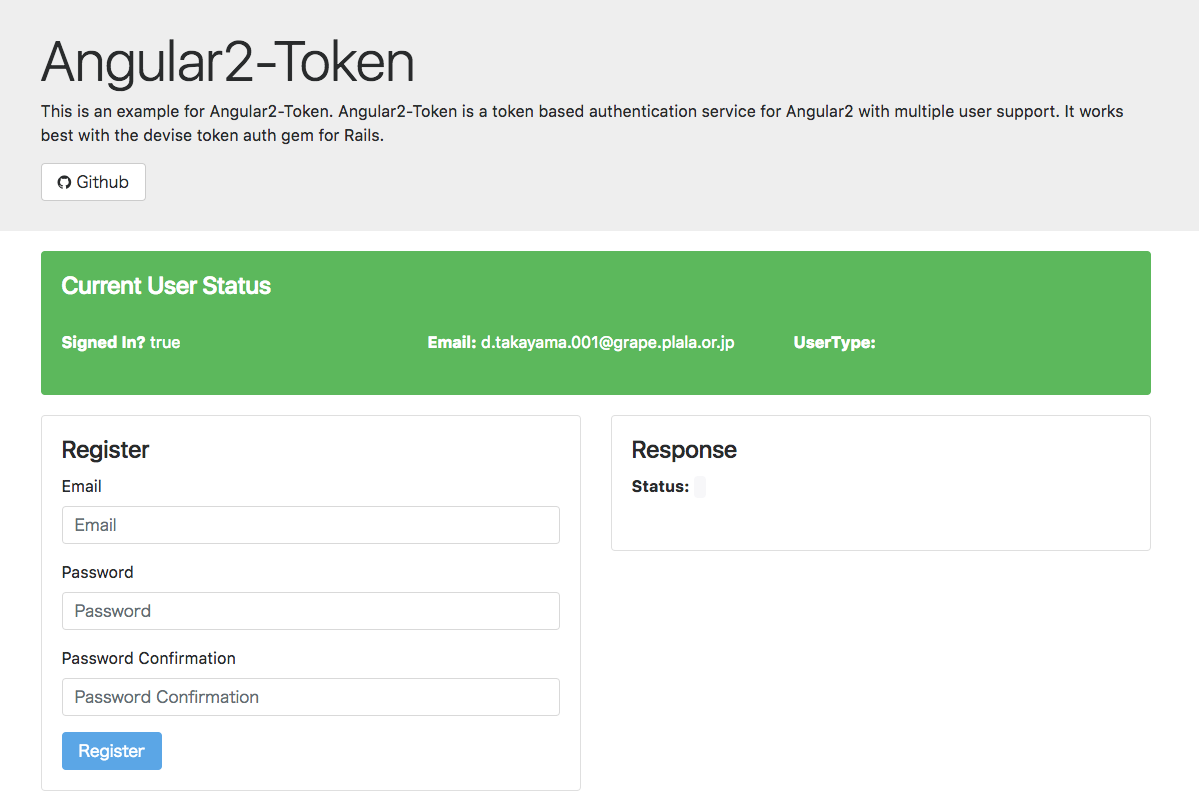
どのようなデモかと言うと。
メールアドレス、パスワード入力、確認入力で、ユーザー登録を行い、ログインしたり、情報をアップデートしたり、ログアウトしたりと言った、 一通りのでもサンプルが実装されております。
それでは早速、gitのcommitを基に軽く説明させて頂きますー。
実装
レポジトリは、以下となります。
前回とは別に新たにブランチを切って作業を行っております。
ブランチ名は「devise_token_auth」となります。
github
設定
github
rails change db mysql & devise_token_auth setup
まずは、使用するそれぞれのgemを追加。
gem 'omniauth'
gem 'devise_token_auth'
gem 'omniauth-github'
CORS (クロスドメイン)対応するため、rack-corsも使用します。
gem 'rack-cors'
また、前回までsqlite3を使用していたのですが、mysql2に切り替えています。
データベース設定も変更しておきます。
default: &default
  adapter: mysql2
  encoding: utf8
  pool: 5
  username: root
  password:
  host: localhost

development:
  <<: *default
  database: rails_api_angular_example
Gemfileを更新したら、「bundle install」と実行します。
$ bundle install --path vendor/bundle
app/controllers/application_controller.rb
class ApplicationController < ActionController::API
  include DeviseTokenAuth::Concerns::SetUserByToken
end
アプリケーション全体で使用するApplicationControllerに、 DeviseTokenAuth::Concerns::SetUserByToken を include定義。
app/controllers/private_resource_controller.rb
class PrivateResourceController < ApplicationController

    before_action :authenticate_user!

    def index
        response = {
            data: 'Private Content for ' + current_user.email
        }

        render json: response
    end

end
前回にて使用していた、「app/controllers/users_controller.rb」を削除します。
app/models/user.rb
$ rails g devise_token_auth:install User auth
class User < ActiveRecord::Base
  # Include default devise modules.
  devise :database_authenticatable, :registerable,
         :rememberable, :trackable, :omniauthable,
         :validatable #,:recoverable,:confirmable
  include DeviseTokenAuth::Concerns::User
end
config/routes.rb
Rails.application.routes.draw do
  mount_devise_token_auth_for 'User', at: 'auth'

  resources :private_resource, only: :index
end
migrateの差分も出ておりますが、こちらは割愛させていただきます。
github
angular2-tokenのpackageをインストール。
github
前回まで使用していた「user」まわりのデータを削除。
github
refactor scss files & add bootstrap
bootstrapのcssや、font-awesomeのcssを読み込みます。
github
こちらも前回までしようしていた Anglurのspec周りを削除します。
github
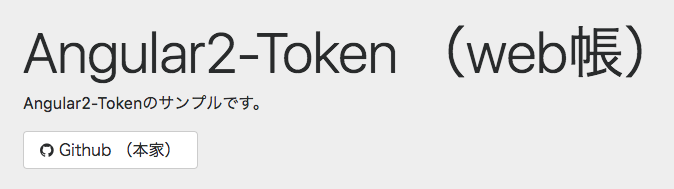
app-routing.module.ts を削除し、テンプレートの app.component.html を修正。
app.component.ts
import { Component, ViewEncapsulation, OnInit } from '@angular/core';
import { Angular2TokenService } from 'angular2-token';

export class AppComponent {
  title = 'app works!';
  constructor(private _tokenService: Angular2TokenService) {
    this._tokenService.init();
  }
}
app.module.ts
import { Angular2TokenService, A2tUiModule } from 'angular2-token';
import { AppComponent } from './app.component';

import {
  routes
} from './';

@NgModule({
  imports: [
    routes,
    BrowserModule,
    HttpModule,
    A2tUiModule
  ],
  providers: [
    Angular2TokenService
  ],
  declarations: [ AppComponent ],
  bootstrap: [AppComponent]
})
export class AppModule { }
app.routes.ts
import { RouterModule, Routes } from '@angular/router';

import { Angular2TokenService } from 'angular2-token';

const routerConfig: Routes = [
];

export const routes = RouterModule.forRoot(routerConfig, { useHash: true });
tokenServiceの中身を確認してみます。
constructor(public tokenService: Angular2TokenService) {
}
console.log(tokenService);
activatedRoute: ActivatedRoute
atOptions: Object
currentAuthData: (...)
currentAuthHeaders: (...)
currentUserData: (...)
currentUserType: (...)
http: Http
router: Router
index.ts
export * from './app.routes';
export * from './app.component';
export * from './app.module';
最近、私も、もっぱらこの記述しています。
細分化を行うほど、大量に発生してしまう component周り。
component同士で importして乱雑にならない様に、とりあえず index.tsをエントリーポイントして置くルール運用すればある程度精査されてはいきます。
github
app.module.ts
import { BrowserModule } from '@angular/platform-browser';
import { NgModule } from '@angular/core';
import { FormsModule } from '@angular/forms';
import { HttpModule } from '@angular/http';

import { Angular2TokenService, A2tUiModule } from 'angular2-token';

import {
  AppComponent,
  ExampleModule,
  routes
} from './';

@NgModule({
  imports: [
    routes,
    BrowserModule,
    HttpModule,
    ExampleModule,
    A2tUiModule
  ],
  providers: [
    Angular2TokenService
  ],
  declarations: [ AppComponent ],
  bootstrap: [AppComponent]
})
export class AppModule { }
app.routes.ts
import { RouterModule, Routes } from '@angular/router';

import {
  ExampleComponent
} from './';

import { Angular2TokenService } from 'angular2-token';

const routerConfig: Routes = [
  { path: '', component: ExampleComponent }
];

export const routes = RouterModule.forRoot(routerConfig, { useHash: true });
example.component.ts
import { Component, OnInit } from '@angular/core';
import { Angular2TokenService } from 'angular2-token';

@Component({
  selector: 'example',
  templateUrl: 'example.component.html',
  styleUrls: ['example.component.scss']
})
export class ExampleComponent {
  constructor(public tokenService: Angular2TokenService) {
    this.tokenService.init();
  }
}
example.module.ts
import { NgModule } from '@angular/core';
import { FormsModule } from '@angular/forms';
import { CommonModule } from '@angular/common';
import { HttpModule } from '@angular/http';
import { RouterModule } from '@angular/router';

import {
  ExampleComponent,
} from './';

@NgModule({
  imports: [
    CommonModule,
    FormsModule,
    RouterModule
  ],
  declarations: [
    ExampleComponent,
  ],
  exports: [
    ExampleComponent
  ]
})
export class ExampleModule { }
example/index.ts
export * from './example.component';
export * from './example.module';
index.ts
export * from './example';
export * from './app.routes';
export * from './app.component';
export * from './app.module';
github

現在のユーザー情報の表示
テンプレートを作成します。
github
OutputComponent を追加します。
shared/index.ts
export * from './shared';
github
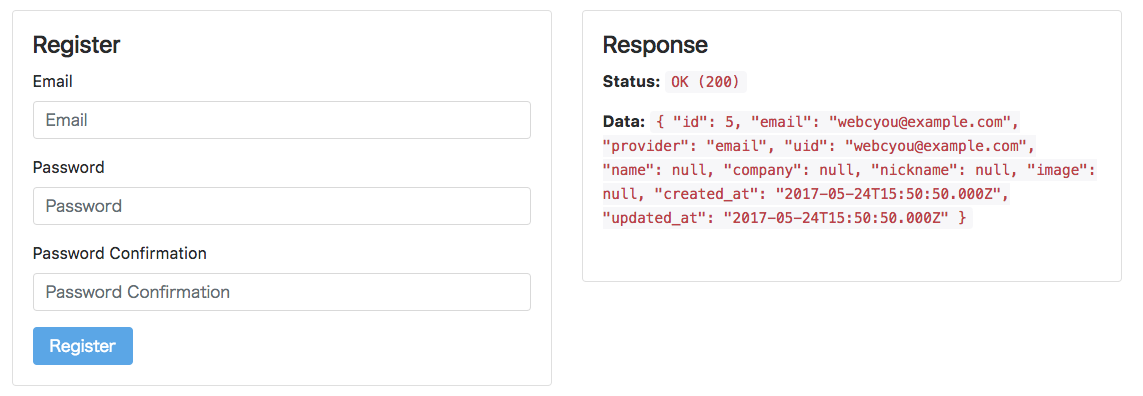
example.component.html に register コンポーネントを追加します。
register.component.html
Register
example/index.ts
export * from './register';
register/index.ts
export * from './register.component';
register.component.ts
import { Component, OnInit } from '@angular/core';
import { Angular2TokenService, RegisterData } from 'angular2-token';

@Component({
  selector: 'register',
  templateUrl: 'register.component.html',
  styleUrls: ['register.component.scss']
})
export class RegisterComponent {

  registerData: RegisterData = {};
  output: any;

  constructor(private _tokenService: Angular2TokenService) { }

  // Submit Data to Backend
  onSubmit() {

    this.output = null;

    this._tokenService.registerAccount(this.registerData).subscribe(
      res => {
        this.registerData = {};
        this.output = res;
      }, error => {
        this.registerData = {};
        this.output = error;
      }
    );
  }
}
github
一度ログアウト
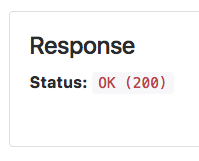
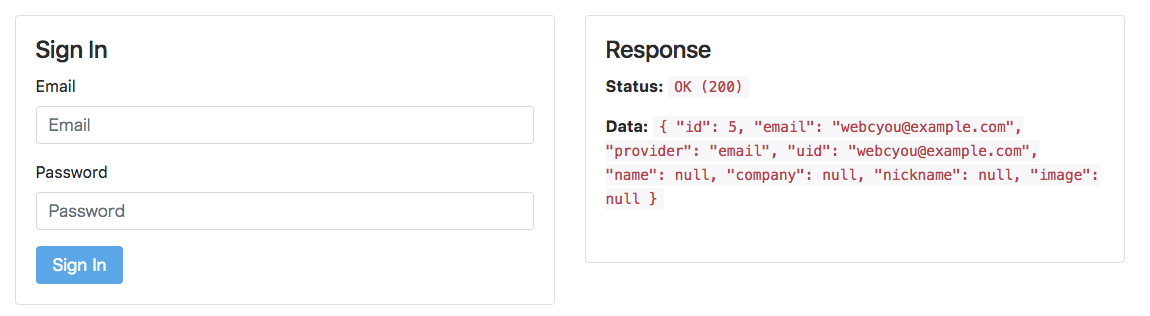
example.component.html に sign-in コンポーネントを追加します。
example/index.ts
export * from './sign-in';
sign-in/index.ts
export * from './sign-in.component';
sign-in.component.html と sign-in.component.ts の実装は、以下のコミットを参照ください。
/sign-in/sign-in.component.html
github
github
github
github
github
github
github
デモURL